As an Amazon Associate, I earn from qualifying purchases.
To clean a RYOBI lawn mower, switch it off, remove the safety key if equipped, disconnect the battery, and wait for every moving part to stop. Brush away loose grass, wipe the deck with a damp cloth, and clean beneath the mower only as directed in your exact model’s manual. Keep water away from electrical parts, the battery compartment, and the motor housing.
Across the United States, lawn mowers work through very different conditions. A small suburban lawn in Ohio may leave damp grass under the deck, while a yard in Texas may coat the mower with dry dust. After a long mowing session in Florida, wet clippings can cling to the deck and wheels. Regular cleaning helps prevent this buildup from becoming a stubborn layer that makes routine care harder.
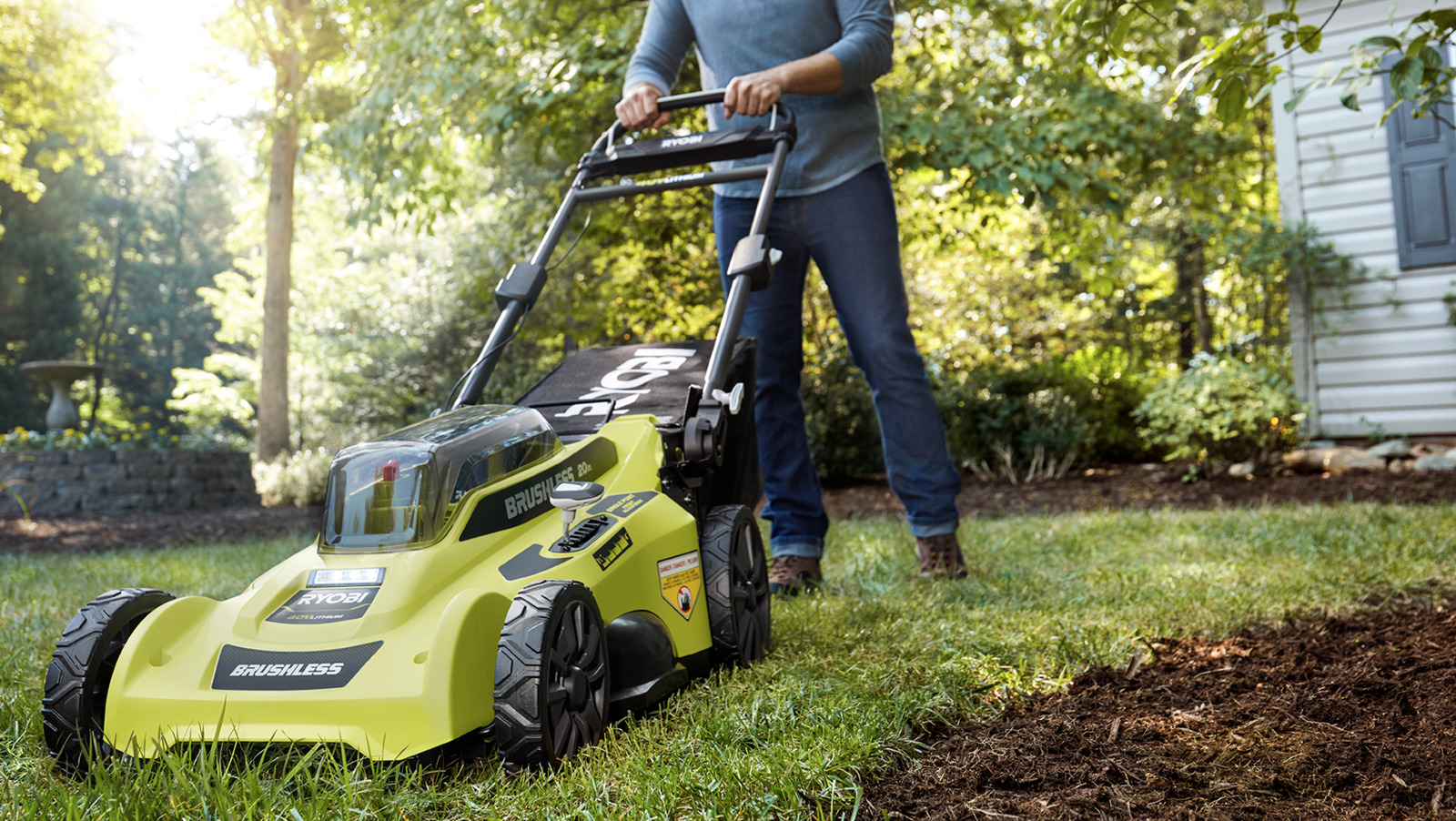
RYOBI makes cordless electric mowers in several designs, including 18V and 40V models. Their cleaning needs can differ based on the deck material, blade design, motor arrangement, and whether the mower has a self-propelled drive. The safest method is to start with the instructions for your exact model, then use gentle tools and very little water.
This guide explains how to clean a RYOBI lawn mower from top to bottom, including the deck, blade area, wheels, vents, and grass collection parts. It also covers dried grass, wet clippings, sticky residue, and common cleaning mistakes. The goal is a clean mower that is ready for its next use without exposing its electrical parts to moisture or putting your hands near a sharp blade.
Cleaning your RYOBI lawn mower helps keep grass buildup under control and makes it easier to spot damage. Fresh clippings can hold moisture against metal parts, while thick, dried layers can become difficult to remove. Dirt around wheels and vents can also interfere with normal movement or airflow.
A clean mower is not guaranteed to cut better or last longer, but removing debris reduces avoidable maintenance problems. It also gives you a chance to inspect the blade, check the housing, and notice loose parts before the next mowing session.
Electric mowers need special care because they contain batteries, wiring, switches, and motor components. Water that enters an electrical compartment can cause damage even when the outside of the mower appears dry. A careful wipe-down is usually a better starting point than washing the machine.
Source: www.slashgear.com
Less grass buildup
Removing clippings after mowing helps prevent a thick layer from forming beneath the deck and around the discharge opening.
Easier inspections
A clean housing makes cracks, damaged wheels, loose fasteners, and blade wear easier to see.
Better routine care
Frequent light cleaning usually takes less effort than scraping off weeks of dried grass.
How Often Should You Clean It?
Remove loose grass after each mowing session when practical. A quick brush-down is often enough when you mow dry grass and leave little debris behind. If you mow wet or fast-growing grass, inspect the underside and discharge area more closely.
Give the mower a more thorough inspection every few mowing sessions, or sooner if you notice a change in cutting performance, unusual vibration, or a buildup of debris. Before winter storage in colder parts of the United States, clean the mower and its accessories, allow them to dry, and follow the manufacturer’s storage instructions.
After each use
Remove loose clippings and check the deck, wheels, and grass bag.
When buildup appears
Clean the affected area before packed grass becomes hard to remove.
Before storage
Complete a careful cleaning and inspection, then store the mower and battery according to their manuals.
Gather the Right Cleaning Supplies
You do not need a large collection of cleaners to maintain a RYOBI mower. A few basic hand tools can remove most grass, dust, and dirt without scratching the deck or exposing electrical parts to moisture. Choose tools that let you work from outside the blade area whenever possible.
Avoid strong solvents, gasoline, abrasive pads, and harsh chemical cleaners unless the model’s instructions specifically permit a particular product. Some chemicals can damage plastic, rubber, paint, labels, or seals. If you need a cleaner for sticky residue, use a mild option only when it is compatible with the mower’s materials.
Source: cleanestor.com
Soft-bristle brush
Use it to sweep dry grass from the deck, wheels, and exterior vents without scratching the surfaces.
Plastic scraper
Use a nonmetal scraper to lift stubborn clippings without gouging the deck.
Microfiber cloth
Use a dry cloth for dust and a lightly damp cloth for grime on the outer housing.
Protective gloves and eye protection
Wear suitable gloves and safety glasses while brushing away debris. Remember that gloves do not make it safe to touch a sharp blade.
Small hand brush
Use a clean, dry brush to remove loose debris from accessible crevices without pushing dirt into the motor or electrical openings.
Should You Use Soap or a Lawn Mower Cleaner?
For routine cleaning, a damp cloth and plain water are often enough. If the exterior has oily grime, use only a mild cleaning solution that the manufacturer permits, apply it to the cloth rather than spraying the mower, and wipe the affected surface gently.
Do not spray cleaner into seams, switches, charging contacts, battery slots, or ventilation openings. Avoid coating the blade or deck with oil, polish, or other products that can attract dust or create an unwanted residue. The mower’s manual takes priority if it gives different cleaning instructions.
For ordinary dirt
Start with a dry brush, followed by a lightly damp cloth if needed.
For stubborn residue
Use a plastic scraper and a compatible mild cleaner only if permitted.
Step 1: Turn Off the Mower and Disconnect the Battery
Before cleaning any RYOBI lawn mower, make it impossible for the blade to start unexpectedly. Release the operating controls, switch the mower off, and wait until the blade has stopped completely. Never begin cleaning while the blade is coasting or while the mower is connected to a power source.
Remove the battery according to the model’s instructions and remove the safety key if your mower has one. Keep the battery away from water and place it on a dry surface. If the battery or mower is unusually hot after use, allow it to cool before handling or cleaning it.
Move the mower to a stable, level surface with good light. Keep children and pets away from the work area. If you need access to the underside, follow the manufacturer’s approved positioning method and never tip the mower in a way that could cause it to fall or expose you to moving parts.
Source: www.youtube.com
Switch off
Release the handle controls and wait for the blade to stop fully.
Remove the battery
Disconnect the battery and remove the safety key where fitted.
Stabilize the mower
Work on firm, level ground and use the model-approved method for underside access.
Protect yourself
Wear eye protection and suitable gloves, and keep your hands clear of the blade edge.
Why Battery Removal Matters
An electric mower can contain enough stored electrical energy to operate its blade when correctly powered. Switching off alone is not a substitute for disconnecting the battery before maintenance. Removing the battery helps prevent accidental activation while you clean around the blade and cutting deck.
Never work on the mower if you cannot confirm that the battery and safety key have been removed as required. If a battery is swollen, cracked, leaking, or unusually hot, do not use or charge it. Follow RYOBI’s battery safety instructions and contact an authorized service provider for guidance.
Do not bypass safety features
Never defeat a safety switch or try to keep the mower running while cleaning it.
Do not clean a damaged battery
Keep a damaged battery out of service and follow the manufacturer’s handling instructions.
Step 2: Remove Loose Grass From the Mower Deck
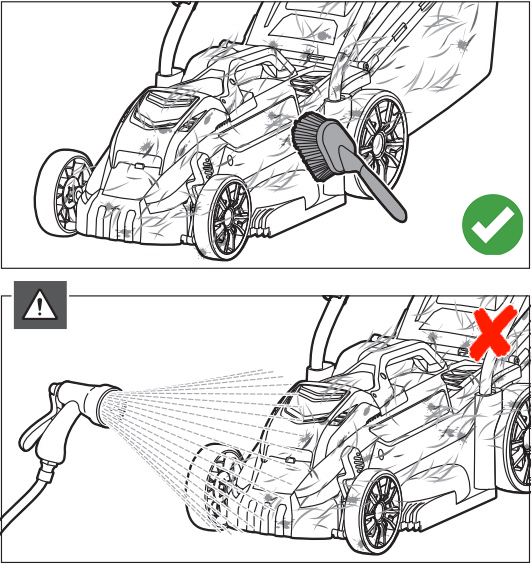
Start by removing loose grass from the top and sides of the mower. Use a soft brush to sweep clippings away from the deck, wheel supports, handle joints, and other accessible areas. Work from the outer edges toward the debris so that you do not push grass into vents or electrical openings.
If the grass is dry, much of it should come away with a few gentle strokes. For packed clippings, use a plastic scraper and lift the material in small sections. Do not use a screwdriver, knife, or other sharp metal tool to pry at the housing because it can damage the deck or slip toward your hand.
Pay attention to seams and the area around the discharge chute. Grass can collect in these spots and remain hidden from a quick glance. Remove what you can reach safely without taking the mower apart or pushing debris into enclosed components.
Source: vsanalysis.com
Brush first
Remove loose clippings before using a cloth or scraper.
Scrape gently
Lift stubborn buildup with a plastic tool rather than a sharp metal implement.
Keep openings clear
Brush around accessible vents and discharge areas without forcing debris inside.
How to Remove Dried Grass
Dried grass can stick to the deck like a thin layer of paper. Brush the area first, then loosen the remaining material with a plastic scraper. Work slowly and avoid striking the deck or blade.
If a small amount remains stuck, a lightly damp cloth may help on an accessible exterior surface. Do not soak the underside or pour water into the cutting chamber. If the buildup cannot be removed without dismantling the mower, check the manual or contact an authorized service center.
Avoid force
Use several gentle passes rather than one hard scrape.
Protect electrical parts
Do not wet motor housings, battery compartments, or wiring openings.
Step 3: Clean Beneath the Cutting Deck
The underside of the cutting deck often collects the most grass. However, it is also the area where a sharp blade creates the greatest risk. Remove the battery and safety key first, confirm that the blade has stopped, and use the access method approved for your exact RYOBI model.
If the manual permits underside cleaning while the mower remains upright, use that method. If it allows the mower to be tilted, follow its stated direction and procedure. Do not guess which side should face downward, because some mower designs can allow debris or fluids to enter areas where they do not belong.
With safe access established, brush loose debris away from the deck and blade area. Use a plastic scraper on stubborn clippings, keeping your hands outside the blade’s path. Never spin the blade by hand to reach a dirty spot, and do not place your fingers beneath it even when the battery is removed.
Some RYOBI models may have specific instructions about underside cleaning or approved washing features. Do not assume a cleaning port, wash-out function, or water-resistant design exists on every mower. Follow the manual for the exact model number printed on the mower’s identification label.
Source: www.youtube.com > RustySkull Productions
Check the manual first
Confirm the approved mower position and cleaning method before reaching beneath the deck.
Use nonmetal tools
A plastic scraper can remove packed grass without cutting into the deck surface.
Keep hands away from the blade
Do not grip, rotate, or wipe the blade edge by hand.
Stop if access is difficult
Arrange professional service if cleaning requires unapproved disassembly or unsafe handling.
Can You Hose Down a RYOBI Lawn Mower?
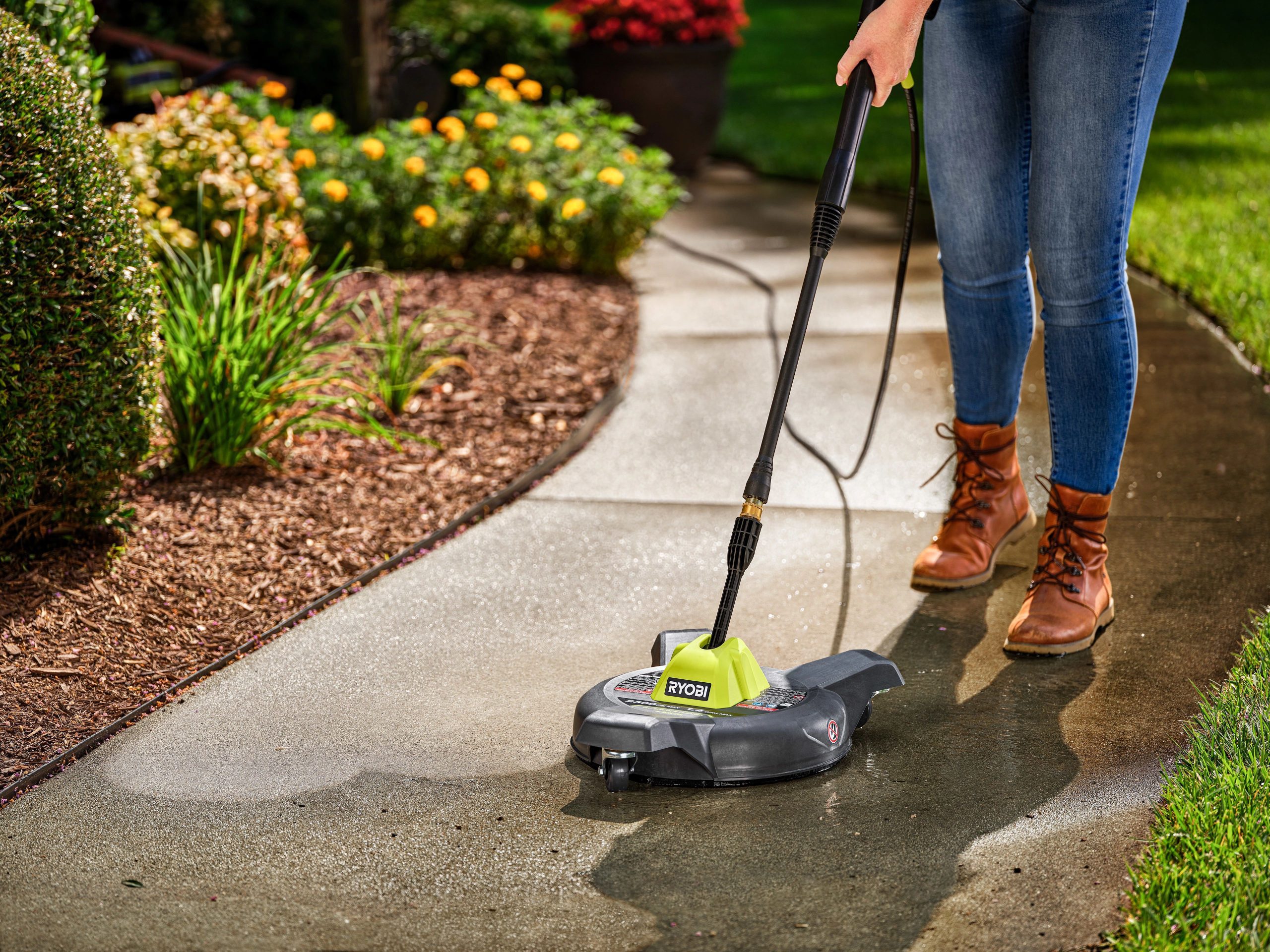
Do not hose down a RYOBI cordless mower unless the exact model’s manual explicitly permits that method. A hose can drive water into switches, electrical connectors, bearings, and the motor area. A pressure washer is especially unsuitable because its force can push water and debris past seals and into enclosed parts.
Even if the mower has weather-resistant features, that does not mean every part can tolerate direct water exposure. Use a brush and damp cloth for routine cleaning unless RYOBI provides model-specific instructions allowing another method. If the mower gets soaked accidentally, do not reinstall the battery or attempt to start it until you have followed the manufacturer’s guidance.
Best general method
Use dry brushing and controlled wiping instead of spraying water onto the mower.
Avoid pressure washers
High-pressure water can damage seals and force moisture into electrical components.
Follow model-specific directions
Use a water-based cleaning method only when the exact manual clearly permits it.
Step 4: Clean the Blade Area and Inspect the Blade
Cleaning is a good time to check the mower blade for packed grass, visible damage, and signs of wear. A dull or damaged blade can leave ragged grass tips, while a bent or unbalanced blade can cause excessive vibration. Cleaning alone will not correct these problems, but it can make them easier to identify.
Keep your hands clear of the cutting edge at all times. Brush debris away from a safe position, and do not use your fingers to test whether the blade is sharp. If the blade needs removal, sharpening, balancing, or replacement, follow the exact service procedure in the manual or use an authorized service center.
Do not assume that every RYOBI blade can be sharpened or removed in the same way. Blade shapes, fasteners, and service requirements vary by model. If you see a crack, a bend, a missing section, or serious damage, stop using the mower until the blade has been properly assessed and repaired or replaced.
Source: www.youtube.com
Look for cracks
A visibly cracked or broken blade should not be used.
Check for bending
A bent blade can cause vibration and may need replacement.
Watch for unusual wear
Deep nicks and badly worn cutting edges may call for professional service or blade replacement.
Do not improvise repairs
Use the manufacturer’s specified blade, fasteners, and service procedure.
What If the Mower Vibrates After Cleaning?
Stop the mower immediately if it vibrates more than usual after cleaning. Remove the battery and safety key, then inspect the blade area from a safe position for visible damage or debris. Do not restart the mower simply to see whether the vibration goes away.
A bent blade, incorrect blade installation, loose fastener, or damaged cutting component can cause vibration. If the cause is not obvious or the manual does not provide a safe check, have the mower inspected by an authorized service center. Do not continue mowing with unexplained vibration.
Stop operation
Switch off and disconnect the battery before inspecting the mower.
Check visible conditions
Look for trapped debris and obvious blade damage without touching the cutting edge.
Get service when needed
Have damaged blades or unresolved vibration checked before using the mower again.
Step 5: Clean the Wheels, Handle, and Exterior
The wheels and outer housing collect soil, dust, grass, and small pieces of plant material. Use a soft brush to remove loose debris from the wheel treads and around accessible wheel supports. If dirt remains, wipe the exterior with a lightly damp cloth and dry it with another clean cloth.
Clean the handle and controls carefully, using a cloth rather than spraying cleaner onto them. Moisture around switches, electrical connectors, or seams can create problems even if the outer surface looks sturdy. Keep the battery compartment dry and check that no grass has gathered around the battery contacts.
Do not apply grease or oil to wheel axles, bearings, or moving parts unless the manual identifies a lubrication point and specifies the correct product. Many components are designed to be maintained without routine lubrication. Unapproved products can attract grit or interfere with parts that should remain clean and dry.
Source: www.slashgear.com
Wheel treads
Brush out grass, soil, and small debris that can interfere with wheel movement.
Handle and controls
Wipe gently with a damp cloth without allowing moisture to enter switches or seams.
Battery compartment
Keep the compartment dry and remove loose debris without scraping or bending electrical contacts.
Outer deck
Remove dust and dirt with a brush before wiping the surface clean.
How to Clean a Self-Propelled RYOBI Mower
If your RYOBI mower is self-propelled, give extra attention to the wheels and accessible drive area. Grass and soil can collect near the wheel hubs, and packed debris may interfere with normal movement. Brush away visible buildup without removing drive covers or opening sealed components.
If the drive becomes noisy, slips, or stops working after cleaning, disconnect the battery and consult the manual. Do not spray lubricant into the drive system or take apart a gearbox without the correct service instructions. An authorized service center can inspect internal drive parts when the cause is unclear.
Keep the drive area clear
Remove loose grass from accessible exterior surfaces and wheel supports.
Avoid unapproved lubrication
Use grease or oil only at manufacturer-specified points.
Step 6: Clean the Grass Bag and Discharge Chute
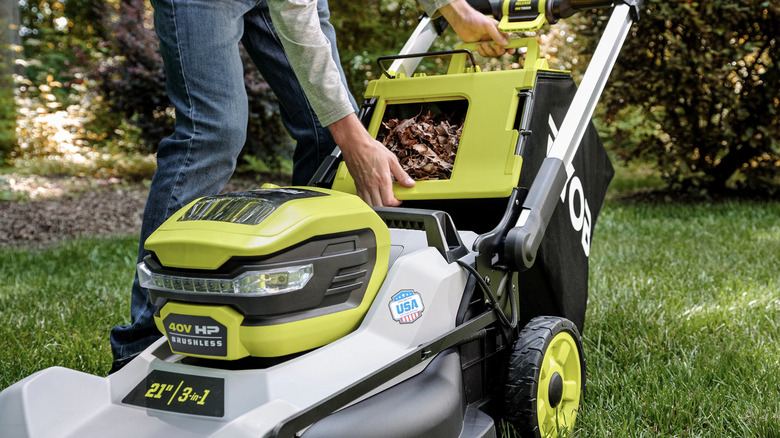
A grass collection bag can hold damp clippings long after the mower has been put away. Remove the bag according to the manual and empty it fully. Brush away loose grass from the fabric, frame, and attachment points, taking care not to tear the mesh or damage plastic parts.
If the bag has a washable fabric section, check its care instructions before using water. Do not soak a bag that contains components that should remain dry, and let any washed fabric dry completely before reinstalling it. A damp bag can hold odor and moisture, especially when stored in a closed shed or garage.
Inspect the discharge chute and its cover for stuck grass. Remove accessible debris with a soft brush or plastic scraper while the battery and safety key remain removed. Check that any guard or flap moves as intended and is not cracked, bent, or blocked by debris.
Source: vsanalysis.com
Empty the bag
Remove all clippings after mowing rather than leaving them to pack down.
Brush the fabric
Use a soft brush to clear grass without damaging the bag material.
Dry completely
Allow cleaned fabric and other washable parts to dry before storage.
Inspect the chute
Check for trapped clippings and damaged guards before using the mower again.
What If Grass Keeps Blocking the Discharge Area?
Frequent blockage can occur when grass is wet, unusually tall, or cut too short in one pass. Remove the battery, clean the chute safely, and allow wet grass to dry before mowing again when conditions permit. Cutting a very tall lawn in stages can reduce the amount of material the mower must handle at once.
If blockages continue with dry grass at a suitable cutting height, check the blade condition and confirm that the discharge parts are installed correctly. Never clear a blockage while the mower is powered or reach into the chute with your fingers. Persistent problems may need inspection by a service professional.
Adjust mowing conditions
Avoid cutting very wet grass and take shorter passes through tall growth.
Check the blade
A damaged or dull blade can contribute to poor cutting and debris handling.
Step 7: Dry the Mower and Check Your Work
After cleaning, use a dry microfiber cloth to remove remaining moisture from the exterior. Check the handle, wheel supports, deck edges, and other accessible surfaces. If you used a damp cloth on a removable accessory, allow that part to dry completely before putting it back.
Inspect the battery compartment and electrical contacts without inserting tools or wiping contacts with a wet cloth. If you notice moisture inside the compartment, corrosion, damaged wiring, or a burnt smell, do not reinstall the battery. Follow RYOBI’s guidance or seek authorized service before using the mower.
Before finishing, make sure all guards, covers, and removable parts are fitted correctly. Check that you have not left a scraper, brush, or cloth beneath the mower. Reinstall the battery only when the mower and all relevant parts are dry and the manual’s safety requirements have been met.
Source: myheartliveshere.com
Remove surface moisture
Wipe accessible exterior parts with a clean, dry cloth.
Check for damage
Look for cracks, loose parts, corrosion, and signs of electrical damage.
Refit parts correctly
Make sure guards, the collection bag, and other removable parts are installed as directed.
Store safely
Keep the mower in a dry place and store its battery according to the battery manual.
How Do You Know the Mower Is Clean Enough?
You do not need to make every surface look new. The main goal is to remove loose and packed grass, clear accessible openings, clean the wheels and collection parts, and leave the mower free of excess moisture. A few harmless marks on the deck do not mean that more aggressive cleaning is needed.
The mower should have no obvious debris blocking its discharge area, no damp clippings packed around accessible parts, and no loose tools left behind. Any damaged blade, unusual vibration, or electrical concern matters more than cosmetic dirt and should be addressed before mowing.
Debris removed
The deck, wheels, bag, and accessible openings are clear of significant grass buildup.
Surfaces dry
No excess moisture remains around the exterior or removable accessories.
Safety parts intact
Guards and covers are in place, and no visible damage needs attention.
Cleaning Differences Between RYOBI 18V and 40V Mowers
The basic cleaning process is similar for RYOBI 18V and 40V cordless mowers: disconnect the battery, remove grass by hand tools, protect electrical parts, and dry all cleaned surfaces. However, battery location, deck design, collection systems, and service procedures can differ. The voltage alone does not tell you which cleaning methods are approved.
Some 40V models have larger decks or self-propelled systems, while smaller 18V models may have different storage and collection designs. These differences can change which areas collect grass and how you safely reach them. Use the model number and its manual rather than relying on a general video for a similar-looking mower.
Source: www.slashgear.com
RYOBI 18V mower
Check the compact mower’s manual for battery removal, deck access, and collection-bag care.
RYOBI 40V mower
Check the specific model’s instructions for its deck, drive system, blade service, and approved underside cleaning.
All cordless models
Keep battery contacts and electrical compartments dry and disconnect the battery before maintenance.
Where to Find Your Exact Model Number
Look for the identification label on the mower housing or another location specified in the owner’s manual. Record the full model number before searching for cleaning or repair instructions. Similar product names do not guarantee identical internal parts or maintenance procedures.
Use the model number to find the matching manual through RYOBI’s official support resources for your market. If you have a mower purchased in the United States, choose the applicable US documentation rather than assuming instructions from another country cover every regional version.
Read the matching manual
Confirm that the instructions apply to your exact model and version.
Check before disassembly
Do not remove covers, blade parts, or electrical components based on instructions for a different mower.
Common Cleaning Mistakes to Avoid
The biggest cleaning mistakes involve water, sharp blades, and unsafe access to the underside. A cordless mower may look simple from the outside, but its electrical parts and cutting system still need careful handling. Take the time to disconnect the battery and follow the right cleaning method instead of rushing through the job.
Source: www.slashgear.com
Using a pressure washer
High-pressure water can force moisture into electrical parts, bearings, and seals. Use a brush and damp cloth unless the exact manual expressly permits another method.
Cleaning with the battery installed
An accidental start could cause severe injury. Remove the battery and safety key as directed before maintenance.
Touching the blade edge
A blade can cause cuts even when the mower is disconnected. Keep hands clear and use suitable tools.
Using sharp metal scrapers
Metal tools can gouge the deck or slip toward the blade. Use a plastic scraper instead.
Spraying cleaner into openings
Liquids can reach switches, wiring, battery contacts, and motor parts. Apply compatible cleaner to a cloth rather than spraying the mower.
Reinstalling a wet battery
Moisture around the battery or contacts can create an electrical hazard or damage equipment. Wait until the relevant parts are fully dry and follow the manufacturer’s instructions.
Ignoring damage
A cracked housing, bent blade, damaged wire, or unusual vibration needs attention before the next mowing session.
What to Do If Water Gets Inside the Mower
If water enters the battery compartment, switch area, motor housing, or another electrical opening, stop cleaning and do not try to start the mower. If you can safely remove the battery without touching wet or damaged electrical contacts, follow the manual’s instructions. Do not charge a wet or damaged battery.
Drying the outside does not prove that the inside is safe. Do not use a hair dryer, heat gun, or open flame to speed up drying. Contact RYOBI support or an authorized service provider for instructions before putting the mower back into use.
Do not restart it
Avoid testing the mower while internal moisture may remain.
Avoid direct heat
Use the manufacturer’s drying and inspection guidance rather than applying high heat.
Seek qualified help
Have the mower inspected if water entered electrical parts or you see corrosion or damage.
A Simple RYOBI Lawn Mower Cleaning Checklist
Use this checklist after mowing to keep the job consistent. It works as a general routine for cordless RYOBI mowers, but it does not replace instructions for your model. If the manual gives a different sequence or limits a cleaning method, follow the manual.
Source: cleanestor.com
Before cleaning
Switch off the mower, wait for the blade to stop, remove the battery and safety key where fitted, and let hot parts cool.
Clean the exterior
Brush away dry grass and dust, then wipe suitable exterior surfaces with a lightly damp cloth.
Clean the deck
Remove accessible grass with a soft brush and plastic scraper using the approved underside access method.
Inspect the blade
Look for visible damage and trapped debris without touching the cutting edge.
Clean wheels and collection parts
Remove soil and clippings from accessible wheel areas, the grass bag, and the discharge chute.
Dry and inspect
Wipe off excess moisture, check for damage, and let cleaned parts dry fully.
Store safely
Reinstall parts correctly and store the mower and battery according to their manuals.
How Long Does Cleaning Take?
A quick brush-down after mowing may take only a few minutes when the mower is relatively clean. A thorough cleaning can take longer if grass has dried onto the deck, the collection bag needs attention, or the wheels contain packed soil. These are practical estimates, not guaranteed times, because the mower design and amount of buildup vary.
Cleaning soon after mowing usually makes the task easier because loose clippings have not had as much time to dry and harden. If grass is wet, avoid aggressive scraping and give the mower time to cool before starting. Safety and correct drying matter more than finishing within a set time.
Light cleaning
Brush away loose grass and wipe the exterior after a normal mowing session.
Deep cleaning
Allow extra time for stubborn buildup, collection parts, and a careful blade-area inspection.
Frequently Asked Questions
Q
Can I wash my RYOBI lawn mower with a garden hose?
Do not use a garden hose unless the manual for your exact RYOBI model clearly permits it. Water can enter the motor housing, battery compartment, switches, and other electrical parts. For routine cleaning, use a soft brush and a lightly damp cloth, keeping electrical openings dry.
Q
Can I clean the underside of a RYOBI electric mower?
Yes, when you can follow the manufacturer’s approved cleaning method. Switch off the mower, wait for the blade to stop, remove the battery and safety key where fitted, and use the prescribed method to reach the underside. Keep your hands clear of the blade, avoid sharp metal tools, and never guess which direction to tilt the mower.
Q
How do I remove grass that has dried onto the mower deck?
Start with a soft brush to remove loose material. Use a plastic scraper to lift the remaining grass a little at a time, taking care not to damage the deck. A lightly damp cloth may help on accessible exterior surfaces, but do not soak the cutting chamber or allow water into electrical components.
Q
Can I use soap or a cleaning spray on my RYOBI mower?
A mild cleaning solution may be suitable for some exterior surfaces if the manual permits it. Apply it to a cloth rather than spraying it directly onto the mower. Avoid strong solvents, abrasive cleaners, and any product that could damage plastic, rubber, paint, seals, or electrical parts.
Q
Should I remove the battery every time I clean my mower?
Yes. Remove the battery before cleaning or inspecting the blade area, and remove the safety key if your model has one. This helps prevent accidental activation while you work. Keep the battery dry and follow its own safety and storage instructions.
Q
Why does my RYOBI lawn mower still cut poorly after cleaning?
Cleaning cannot fix every cutting problem. A dull, damaged, or incorrectly installed blade, an unsuitable cutting height, or wet and overly tall grass may cause poor results. Disconnect the battery before inspecting the mower, and arrange service if you find blade damage, unusual vibration, or a problem you cannot identify safely.
Q
How often should I clean my RYOBI cordless lawn mower?
Remove loose clippings after each mowing session when practical. Check the underside, wheels, and discharge area more closely after mowing wet grass or when you notice packed debris. Before long-term storage, clean the mower, let the cleaned parts dry, and follow the manufacturer’s storage instructions.
✦ Wrapping Up
Conclusion
Learning how to clean a RYOBI lawn mower is mostly about using the right tools and keeping water away from parts that must stay dry. Switch off the mower, remove the battery and safety key where fitted, and wait for the blade to stop before starting. Use a soft brush, a plastic scraper, and a damp cloth to remove grass and dirt without damaging the housing.
Give extra care to the underside, blade area, battery compartment, wheels, and grass collection parts. Never assume that a cordless mower can be hosed down, and do not use a pressure washer unless the exact manufacturer instructions explicitly permit the method. If water reaches electrical parts or you find a damaged blade, stop and seek the correct service guidance.
A short cleaning routine after mowing can prevent heavy buildup and make future inspections easier. Match your cleaning method to the exact RYOBI model, let cleaned parts dry fully, and store the mower and battery as directed. When you are unsure about underside access or blade service, the owner’s manual is the safest place to begin.
💡 Key Takeaway
Before your next mowing session, locate your RYOBI mower’s exact model number and check its manual. Then remove the battery, brush away grass, wipe the exterior, inspect the deck and blade area safely, clean the collection parts, and let everything dry before use.
I enjoy sharing simple gardening ideas, lawn care tips, and honest product reviews that help make outdoor work easier. From home gardening guides to helpful tools and lawn care advice, I write easy-to-follow content to help readers create a healthier and better-looking outdoor space without wasting time or money.