As an Amazon Associate, I earn from qualifying purchases.
The best AI app for landscape design depends on your project. Choose a photo-based AI tool for quick yard makeovers, a garden planner for plant layouts, or 3D landscape software when you need more control over paths, patios, beds, and outdoor structures.
Across the United States, a yard can mean very different things. A small Florida patio may need heat-tolerant plants and shade, while a Colorado backyard may need a plan for cold winters, dry soil, and snow. A home in the Pacific Northwest may have the opposite challenge: wet soil, limited sun, and steady rain. The right design app should help you explore ideas that fit your actual space, not just produce a pretty picture.
AI landscape design tools can turn a photo of your yard into a set of visual ideas. Some also let you change garden styles, add features, or create a rough planting plan. Yet an attractive image is not the same as a measured landscape plan. Before choosing an app, check what it can edit, whether it supports your device, what costs money, and how much control you have over the final layout.
This guide compares the main types of AI landscape design apps, explains how to choose one, and shows how to turn a generated concept into a useful plan. The recommendations are based on documented tool categories and practical decision criteria, not claimed hands-on tests or an independently verified ranking of every current app. Features, free limits, and subscription terms can change, so check the current product details before paying.
There is no single best app for every yard. The strongest choice is the tool that matches your main task, whether that is changing the look of an existing yard, arranging plants, planning a patio, or building a detailed three-dimensional model. Start with the result you need instead of choosing an app based on its promotional images.
Photo-based tools are usually the easiest place to begin. You upload a picture, select a design style, and let the system create a new visual concept. More advanced planning tools may offer drawing tools, object placement, plant libraries, dimensions, or 3D views. Those extra controls matter when you want to use the design as a guide for real work.
The names and features of AI products change quickly. Treat the categories below as a practical comparison, then verify each product’s current features, device support, terms, and pricing on its official website or app store.
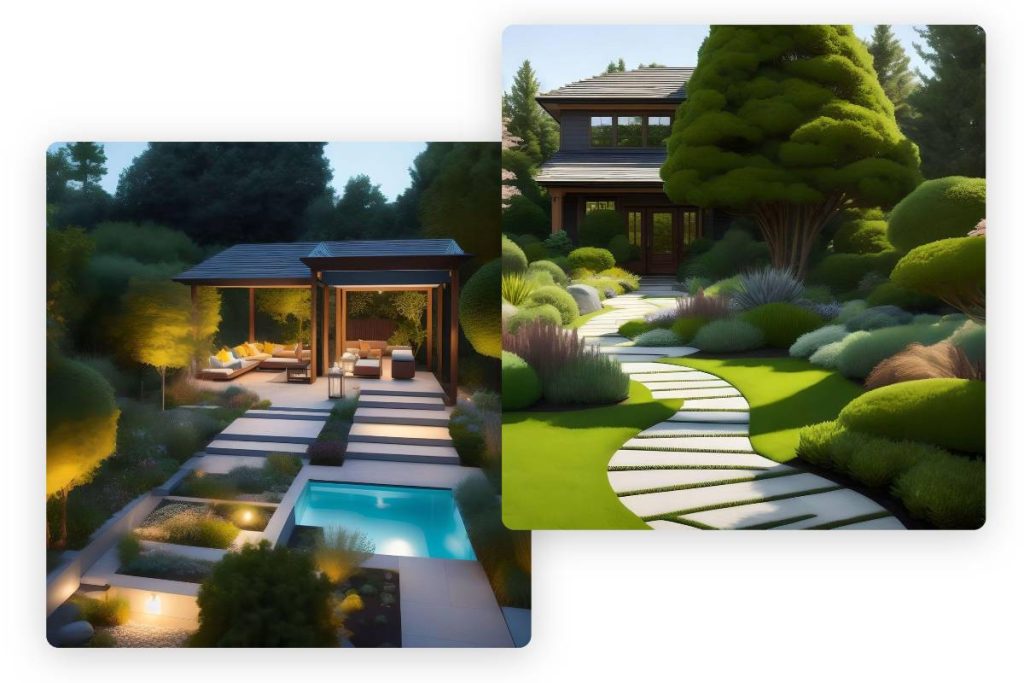
Source: parametric-architecture.com
Best for quick inspiration
Choose a photo-based AI landscape generator if you want to compare modern, cottage, tropical, natural, or low-maintenance looks without learning complex design software.
Best for garden beds and planting ideas
Choose a garden planner with plant placement and, ideally, growing-zone or plant information. It can help you think through bed shapes and spacing, but you must still check local growing conditions.
Best for patios and hardscape layouts
Choose a landscape planning or 3D design tool with dimensions, paths, patios, fences, and outdoor objects. These features offer more control than a simple AI makeover.
Best for a first-time homeowner
Start with a simple photo-based tool that offers a trial or useful free tier. Test whether its results preserve your house, driveway, fence, and other fixed features before buying a plan.
AI visualization versus landscape planning
An AI visualization changes how a space looks in an image. A landscape plan describes where real items should go and how the space will work. The two can support each other, but they are not interchangeable.
For example, an AI image might show a curved flower bed beside a deck. A working plan must also account for bed width, access, drainage, mature plant size, and the distance between plants and the building. If you plan to hire a contractor, ask whether the design app can provide dimensions or whether a separate plan is needed.
Use visualization for
Style choices, color schemes, broad layout ideas, and discussions with family or a landscape designer.
Use planning tools for
Measured layouts, spacing, paths, furniture placement, material estimates, and preparing for installation.
Types of AI Landscape Design Apps to Compare
The most useful comparison is between the work each app can do and the amount of control it gives you. A quick image generator may be ideal for a weekend makeover, while a tool with measurements is more useful for a major yard renovation. Neither type is automatically better for every project.
Before selecting a product, look for current documentation that explains how it handles photos, edits, exports, and project storage. If the app claims to identify plants or create construction-ready plans, check whether it provides those functions directly or merely generates a visual suggestion.
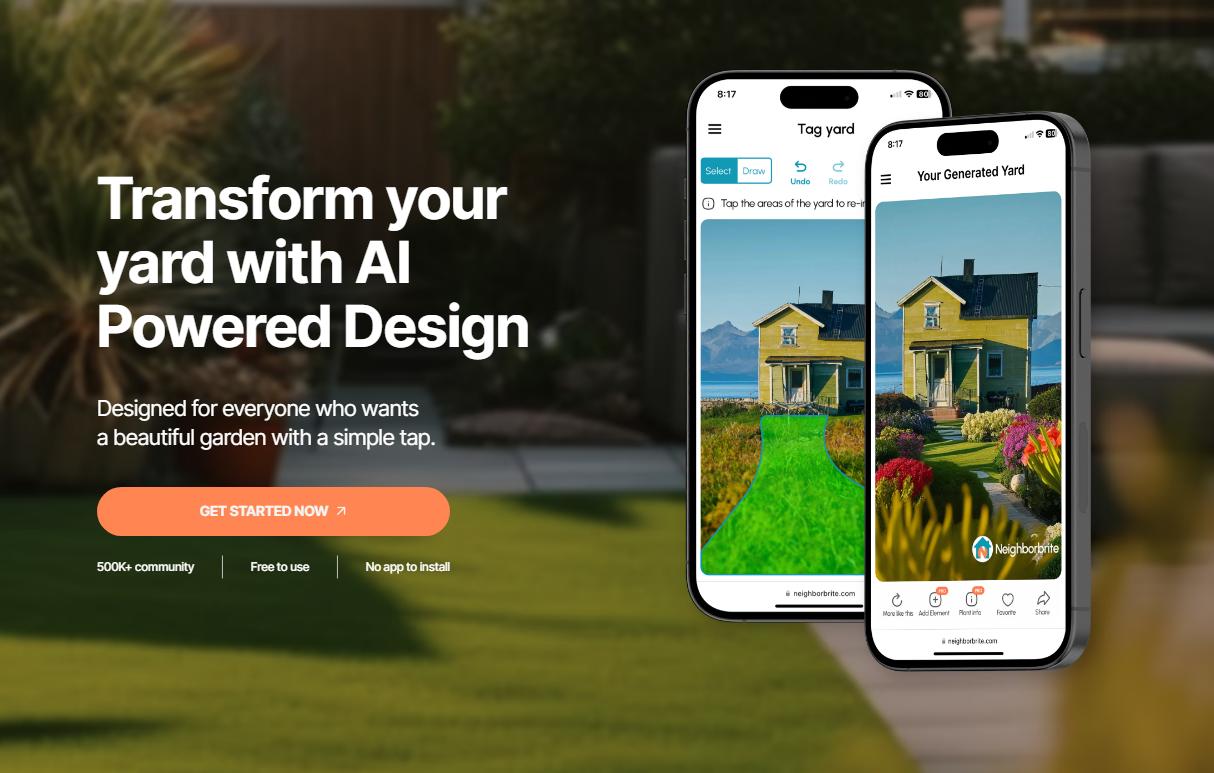
Source: utpaqp.edu.pe
Photo-to-design generators
These tools use an uploaded yard image as the starting point. They work well for exploring styles and comparing possible appearances, but may alter fixed features or create objects that do not fit the real space.
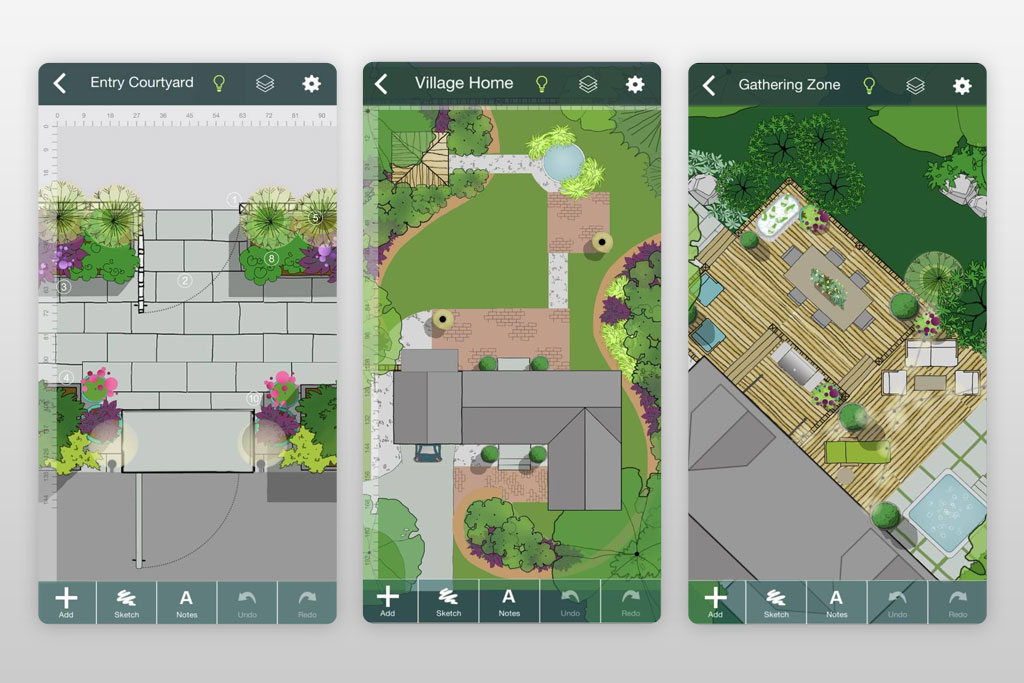
These focus on planting arrangements and garden concepts. Check whether they support plant names, mature dimensions, sunlight needs, and climate information rather than relying on visual appearance alone.
3D landscape design software
These tools let users build or edit a model of the yard. Depending on the product, they may support measurements, terrain, structures, paving, and outdoor furniture. Some require more setup and practice.
General-purpose image generators
These can create concept art from a written description, but may not preserve your exact property or produce a reliable layout. Use them for inspiration rather than measurements or construction.
What about apps that claim to be free?
Free access can mean several things: a limited trial, a set number of image generations, a basic design mode, or free viewing with paid downloads. The word free alone does not tell you whether you can complete a project without paying.
Try the same small task before comparing subscriptions. For example, upload one photo, generate a design, make a change, and see whether you can save the result at a useful size. This simple test reveals more than a long list of advertised features.
Check image limits
Find out whether the plan limits generations, edits, saved projects, or daily use.
Check export rules
Confirm whether you can download the design, share it, or use it in a conversation with a contractor.
Check renewal terms
Review the subscription period, renewal price, cancellation steps, and any refund terms before starting a paid plan.
How to Choose the Right App for Your Yard
Choose an app by working backward from your project. Decide whether you need inspiration, a planting plan, a layout for hardscape, or a visual brief to share with a professional. Then compare tools against that need instead of paying for features you may never use.
A useful selection process starts with the property itself. Note the yard’s rough dimensions, sun exposure, slope, fixed structures, and main problems. If your yard has a steep grade, standing water, or a large tree with roots near a planned patio, those factors can matter more than the app’s range of design styles.
Source: paintit.ai
1. Match the app to your main task
For a simple visual refresh, start with a photo-based generator. For a measured patio, walkway, or planting layout, prioritize planning controls and dimensions.
2. Check the device you use
Confirm whether the tool works in a browser, on an iPhone, on an Android device, or on a desktop computer. Check the current operating system requirements.
3. Test image preservation
See whether the app keeps the house, windows, doors, driveway, trees, and fence in their correct places. A striking image has limited value if it changes the property.
4. Check editing controls
Look for ways to revise one area without regenerating the entire yard. Local edits can make it easier to compare plants, paving, furniture, or bed shapes.
5. Review export options
Find out whether you can save images, keep earlier versions, share projects, or export a measured plan if the app supports one.
6. Compare the full cost
Include subscription fees, generation credits, and any paid export or design features you need. Check the current terms because prices and plan limits can change.
A simple comparison scorecard
Use the same scorecard for every app you test. Give each factor a score from 1 to 5, where 1 means poor for your project and 5 means a strong fit. These are your own decision scores, not independent product ratings.
Weight the factors that matter most. If you only want ideas, ease of use and image quality may count most. If you plan to install a patio, control over dimensions and the ability to preserve fixed features should carry more weight.
Ease of use
Can you create and edit a useful design without a long learning process?
Layout control
Can you place items where you need them and preserve important site features?
Plant usefulness
Does the tool offer plant information that you can verify for your region?
Export and sharing
Can you save a clear image or plan and share it with the people doing the work?
Total cost
Can you finish the intended task within your budget, including any required paid features?
How to Use an AI Landscape Design App Step by Step
You can get more useful results by giving the app a clear starting point and a narrow goal. Instead of asking it to redesign everything at once, begin with one area, such as the front entry, a bare fence line, or a small patio. Review the result, then make changes one at a time.
The process below works for most photo-based tools, though exact buttons and features differ by app. A planning program may also ask you to draw the property or enter dimensions before adding plants and structures.
Source: parametric-architecture.com
Step 1: Take clear photos
Photograph the yard in daylight from a few useful angles. Include the house, edges, paths, fences, and any fixed features that the new design must keep.
Step 2: Measure the main areas
Record approximate length and width, and note narrow passages, existing beds, patios, and distances from structures. Use a tape measure or a suitable measuring tool rather than guessing from the photo.
Step 3: Write a focused prompt
Describe the area, style, budget level, upkeep needs, and features to preserve. Ask for a specific change instead of a complete redesign if only one part of the yard needs work.
Step 4: Generate a few options
Compare a small set of alternatives, such as a low-water planting scheme, a simple lawn-and-border layout, and a patio with container plants. Avoid generating endless versions without a clear goal.
Step 5: Check the result against the real yard
Compare the image with your measurements and photos. Look for changed doors, blocked paths, missing utilities, oversized furniture, or features that do not fit the site.
Step 6: Refine the best concept
Keep the strongest layout and revise one detail at a time. Try different plant forms, paving materials, bed edges, or seating arrangements while preserving the main structure.
Step 7: Turn the image into a work plan
Confirm plant choices, quantities, materials, dimensions, drainage, and installation needs. Ask a qualified professional to review complex grading, drainage, retaining structures, or other work beyond a visual concept.
Example prompts for common US yards
A useful prompt states what should change and what must stay the same. It also describes the intended maintenance level and local conditions. Climate references are starting points for design ideas, not proof that the app has selected suitable plants.
Small suburban front yard
Create a simple, welcoming front-yard concept for a typical US home. Keep the existing house, driveway, front walk, windows, and entry in their current positions. Add layered planting beds, clear access, and a neat lawn edge. Favor low-maintenance ideas and leave enough room for people to walk safely.
Sunny, dry backyard
Suggest a relaxed backyard layout for a sunny, dry site in the western United States. Preserve the existing fence and house. Show a modest seating area, permeable paths where suitable, and planting beds that can be filled with locally appropriate drought-tolerant plants after verification.
Shady garden
Redesign this shaded backyard corner with a natural, calm look. Keep the tree, fence, and nearby walkway. Add a clear path, layered foliage, and a small sitting area if space allows. Avoid claiming plant suitability without checking the site’s light, soil, moisture, and growing zone.
Small patio
Create a practical small-patio concept for a US home. Preserve the existing door, wall, and walkway. Use compact seating, containers, a clear walking route, and a restrained color palette. Keep the layout realistic for the available space.
Which Features Matter Most for Different Landscape Projects?
The right feature set depends on what you plan to change. A homeowner who wants new flower beds may not need a complex 3D model. Someone planning a deck, a long walkway, or a major backyard renovation may need dimensions and a way to check how different parts fit together.
Use the comparison below to narrow your options. It describes useful capabilities to look for, not guaranteed features of any specific app.
Source: utpaqp.edu.pe
Front yard refresh
Prioritize photo editing, clear entry paths, bed placement, and a way to preserve the house and driveway. Check sightlines near the driveway and street before planting.
Backyard makeover
Look for seating, lawn, shade, garden zones, paths, and outdoor structures. If you need exact spacing, use a tool that supports dimensions.
Vegetable garden
Choose a planner that can help arrange beds and paths. Verify crop spacing, sunlight, water access, and seasonal timing with reliable local gardening guidance.
Low-maintenance landscape
Look for ways to explore plant groupings, mulch areas, paths, and reduced lawn. Confirm that the selected plants suit local climate and will not spread into unwanted areas.
Major renovation
Favor measured planning, 3D visualization, and export options. AI imagery alone is not enough for construction dimensions, grading plans, drainage design, or utility work.
How to estimate a basic planting bed
A rough area calculation can help you compare a visual design with a shopping list. For a rectangular bed, multiply the length by the width to get the area in square feet. For an irregular bed, divide it into simple shapes and estimate each part separately.
For example, a bed that is 12 feet long and 4 feet wide covers 48 square feet. If a plant label calls for spacing of 2 feet between plants, a simple grid could suggest about 12 plants in a 48-square-foot area, but the actual number depends on the bed shape, plant spread, edge clearance, and the spacing method. Treat this as a rough planning example, not a universal planting rule.
Measure before buying
Use the real bed dimensions rather than the apparent size in a generated image.
Use mature plant size
Check the expected width and height of each plant so the bed does not become crowded as it grows.
Allow for access
Leave room for paths, watering, pruning, and other routine care.
Important Limits of AI Landscape Design
AI-generated designs are concepts, not site surveys. A photo does not reliably reveal soil depth, buried utilities, drainage patterns, underground roots, property boundaries, or every change in elevation. Even a realistic image can show a path, wall, or planting bed in a place where it would not work.
Use AI to explore choices, then verify the parts that affect cost, plant health, access, and safety. The larger the project, the more important it becomes to move from a visual idea to measured information and qualified advice.
Source: parametric-architecture.com
Plant and climate errors
A tool may suggest a plant that looks right but cannot tolerate your winters, summer heat, soil, light, or moisture. Verify plant names and needs through reliable local sources before buying.
Incorrect scale
A wide patio or large tree may look realistic in a generated image but fail to fit your yard. Compare the concept with measurements and mature plant sizes.
Drainage and slope
An image cannot establish where water will flow after a change. Major grading, persistent standing water, steep slopes, and retaining structures may need a qualified landscape professional or engineer.
Hidden property features
Before digging, follow local requirements for locating underground utilities. Do not rely on an app image to show pipes, cables, easements, or property boundaries.
Privacy and photo storage
A yard photo can reveal a home, entry points, or neighboring property. Review the app’s privacy terms and permissions, and avoid uploading images that show personal details you do not need to share.
Misleading construction details
A photorealistic design does not prove that a deck, fence, wall, stair, or electrical feature meets local codes or is structurally sound. Check permits and local rules before starting work.
When should you hire a landscape professional?
A professional can help when the project involves significant changes to grade, drainage near a foundation, large retaining walls, complex outdoor lighting, or structures that need permits. A landscape designer can also turn an attractive concept into a practical planting and materials plan.
For simpler work, such as choosing a garden style or exploring where to place containers, an AI app may be enough to guide early decisions. The key is knowing when the design has moved from visual inspiration into work that needs measurements, local knowledge, or technical review.
DIY-friendly tasks
Testing design styles, planning container arrangements, sketching small planting beds, and comparing color schemes.
Tasks that may need professional review
Major grading, drainage correction, retaining structures, deck foundations, complex lighting, and work close to utilities or property lines.
Common Mistakes to Avoid When Using AI Yard Design Apps
The most common mistake is treating a generated image as a finished plan. A strong visual concept can still ignore practical limits, from plant spacing to drainage. A short review before spending money can prevent a design from becoming an expensive problem.
Another mistake is changing too many things at once. If the app changes the lawn, patio, trees, fence, and house details in one image, it becomes hard to judge which change improved the design. Keep the fixed features stable and compare one decision at a time.
Source: paintit.ai
Uploading a poor photo
Dark, blurry, or tightly cropped photos may hide the space you need to design. Retake the photo in daylight and include the key edges and fixed features.
Writing vague prompts
A request such as make this yard beautiful gives the tool little direction. State the style, main goal, maintenance level, and features that must stay.
Ignoring the budget
A design filled with mature trees, stone paving, lighting, and built-in seating may be far beyond your budget. Set a spending limit before generating concepts and check local material and labor costs.
Choosing plants from appearance alone
A plant that looks good in a picture may need more water, sun, or space than your site can provide. Check the plant’s requirements and mature size.
Paying before testing
Try a complete small task first. Confirm that you can generate, edit, and save a usable result before committing to a subscription.
Skipping the final site check
Walk the yard with the design open. Check access, clearances, water flow, existing trees, and the real distance between features before purchasing materials.
How to tell whether a design is ready to use
A design is ready for the next planning stage when it preserves the real property, fits your measurements, and meets your main goals. It should also identify the parts that still need checking, such as plant selection, material quantities, and drainage.
If the image keeps changing important features or cannot represent the layout accurately, stop trying to force it into a construction plan. Save it as inspiration and move to a measured drawing or a tool with more direct layout controls.
Ready for refinement
The style and broad arrangement work, but some dimensions, plants, or materials still need review.
Ready for a shopping list
Bed areas, plant choices, spacing, and material quantities have been checked against the actual site.
Ready for professional review
The concept, measurements, photos, budget, and unresolved site questions are organized for a designer or contractor.
A Practical Decision Guide for US Homeowners
The best app is the one that helps you make a sound next decision. For a small visual update, you may need only a clear photo and a few generated options. For a larger project, you may need a separate garden planner, a measured drawing, local plant guidance, and professional input.
Local conditions should shape the final design. In the United States, USDA plant hardiness zones can help you assess winter temperature suitability, but a zone alone does not describe summer heat, soil type, drainage, humidity, or sun exposure. Use it alongside site-specific information rather than as the only plant-selection rule.
Source: utpaqp.edu.pe
If you want a low-cost refresh
Start with a free tier or trial. Focus on the entry, bed edges, containers, and plants, and avoid committing to major construction until you have a workable layout.
If you want a garden that is easier to maintain
Ask the tool to explore simpler bed shapes, suitable ground covers, grouped plants, and less lawn. Confirm plant needs and mature sizes before making a final selection.
If you want to remodel a patio
Look for measured layout features and realistic furniture placement. Check access, drainage, surface requirements, and any applicable local rules before installation.
If you want a planting plan
Use the AI concept as a starting point, then build a verified list of plant names, quantities, spacing, light needs, and watering needs.
If you are planning a major renovation
Choose a tool that supports more control and share its output with a qualified designer or contractor. Confirm site conditions and technical details independently.
What to prepare before you open the app
A little preparation can save time and improve the results. You do not need a professional survey for a simple concept, but you should know the basic shape of the space and which features cannot move.
Photos
Take wide views and close views of the areas you want to change.
Measurements
Record the approximate length and width of the yard, beds, patio, and key paths.
Site notes
List sunny and shaded areas, wet spots, slopes, mature trees, and existing structures.
Project goals
Pick the top two or three outcomes, such as more privacy, less lawn care, or a better place to sit.
Budget
Set a rough limit for plants, materials, tools, and hired labor.
Frequently Asked Questions
Q
What is the best free AI app for landscape design?
The best free option is the one that lets you complete your intended task without requiring a paid feature you need. Some tools provide limited image generations, while others restrict editing or downloads. Test one real yard photo and confirm the current free-plan limits before choosing.
Q
Can AI design my backyard from a photo?
Yes. Photo-based tools can generate visual backyard concepts from an uploaded image. They may suggest planting beds, paths, seating, lawn changes, or different design styles. However, they can also alter existing features or misjudge scale, so compare the result with measurements and the actual site.
Q
Can I use an AI landscape design app to choose plants?
You can use one to explore plant groupings, colors, and garden styles. Before buying plants, verify the plant name, mature size, hardiness, sun needs, soil needs, and water needs with reliable regional information. An attractive AI image does not prove that a plant will thrive in your yard.
Q
Are AI landscape design apps accurate enough for contractors?
A visual concept can help you explain your goals to a contractor, but it is not automatically a construction plan. Contractors may need dimensions, elevations, material specifications, drainage details, and other site information. Ask what format and level of detail they need before relying on an app export.
Q
Do AI landscape design apps work on phones?
Some tools are built for phones, while others run in a web browser or require a desktop. Check the current device requirements and supported operating systems before signing up. A phone can be convenient for taking yard photos, while a larger screen may be easier for reviewing layouts and measurements.
Q
Can AI help design a low-maintenance landscape?
Yes. You can ask it to explore simpler layouts, fewer lawn areas, grouped plants, paths, and mulch beds. The final maintenance level depends on the plants, climate, soil, irrigation, and design details. Verify plant suitability and remember that new plantings still need care while they become established.
Q
Should I pay for an AI landscape design app?
Pay only if the extra features solve a real need. A paid plan may be useful if you need more generations, detailed editing, saved projects, or export options. Check the total cost and cancellation terms, and test the free version first when one is available.
✦ Wrapping Up
Conclusion
The best AI app for landscape design is the one that matches your project and gives you enough control to make useful choices. Photo-based generators are a simple way to explore yard styles, while garden planners and 3D tools can offer more structure for planting layouts, paths, patios, and larger changes. Compare current features and costs rather than relying on promotional images or a fixed ranking.
Use AI as the first step, not the final authority. Measure the yard, check local growing conditions, confirm plant choices, and review any construction or drainage needs before spending money. For complex work, a qualified landscape professional can help turn a promising image into a realistic plan.
💡 Key Takeaway
Take two clear photos of your yard, measure the main area, and write down three goals. Test one photo-based AI design tool and one planning tool if needed. Choose the option that preserves your real space, supports your task, and lets you save a result you can verify.
I enjoy sharing simple gardening ideas, lawn care tips, and honest product reviews that help make outdoor work easier. From home gardening guides to helpful tools and lawn care advice, I write easy-to-follow content to help readers create a healthier and better-looking outdoor space without wasting time or money.